
 MVP Profile
 Try my app HoloATC!
 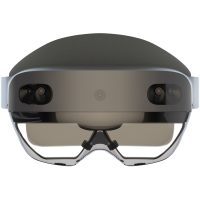 HoloLens 2
 Magic Leap 2
 Meta Quest
 Android phones
 Snap Spectacles
 MetaLense 2
 Buy me a drink ;)
 BlueSky
 Mastodon
 Discord: LocalJoost#3562
Playing around with the P&C MetaLense 2 - a Mixed Reality device from Korea
Long before the announced EOL of HoloLens 2, I was on the lookout for alternative devices. The writing was on the wall after January 2023, when a lot of the staff involved was laid off and Microsoft started to abandon the Mixed Reality market they themselves created out of the blue in 2016 with HoloLens 1 back in 2015. Magic Leap 2, by Magic Leap, Inc, seemed to be a viable alternative but they decided to stop selling their device as well, mentioning the same support cutoff date as HoloLens 2. So this left us XR professionals looking for alternative devices. You have seen me play with Quest and Spectacles over the past few years. Recently the MetaLense 2 came to my attention. This seems to be a device that gets some fair use in Korea, but is nearly unknown in what I would call for lack of a better world ‘the West’.
First things first: what’s in a name
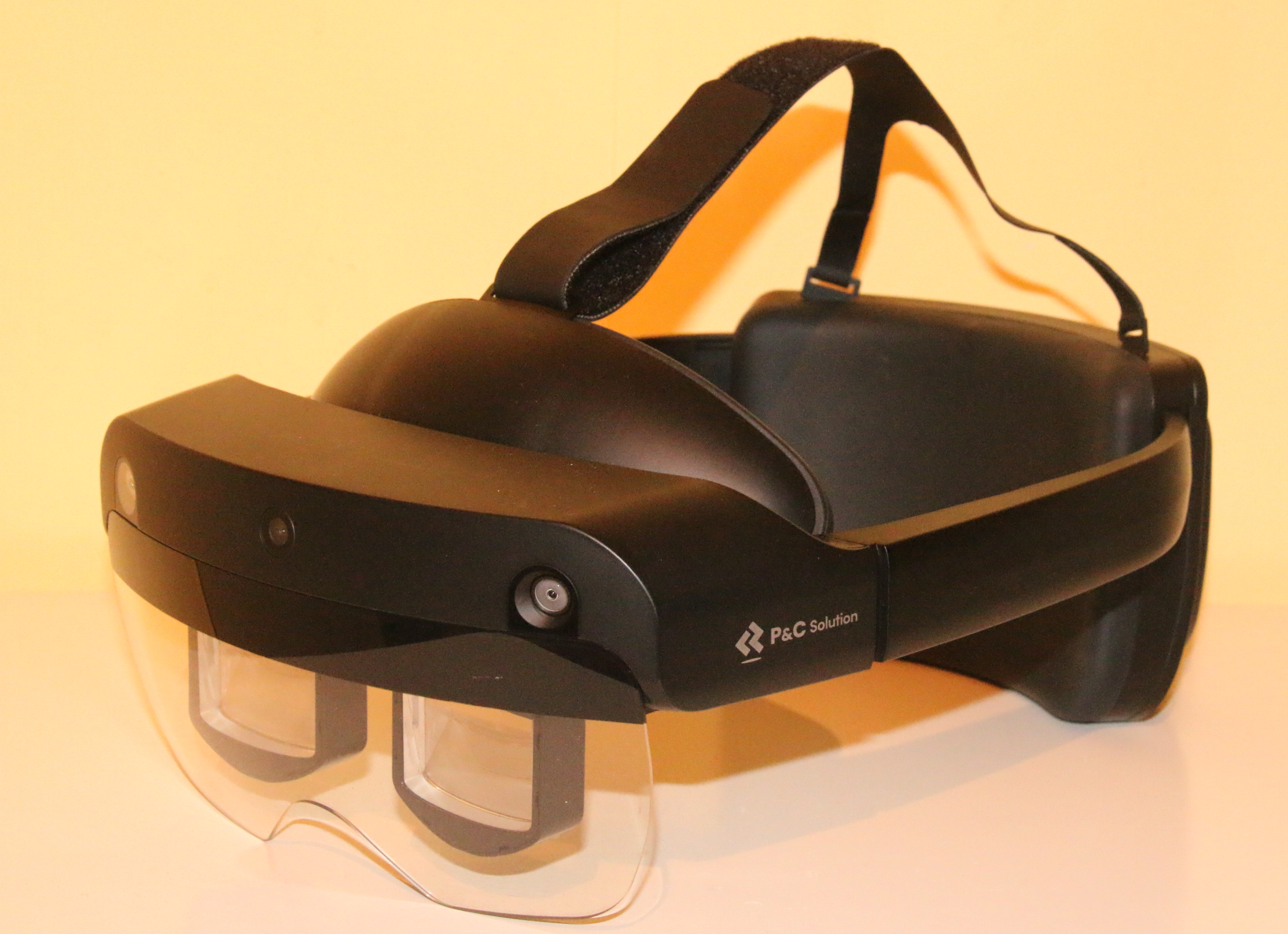
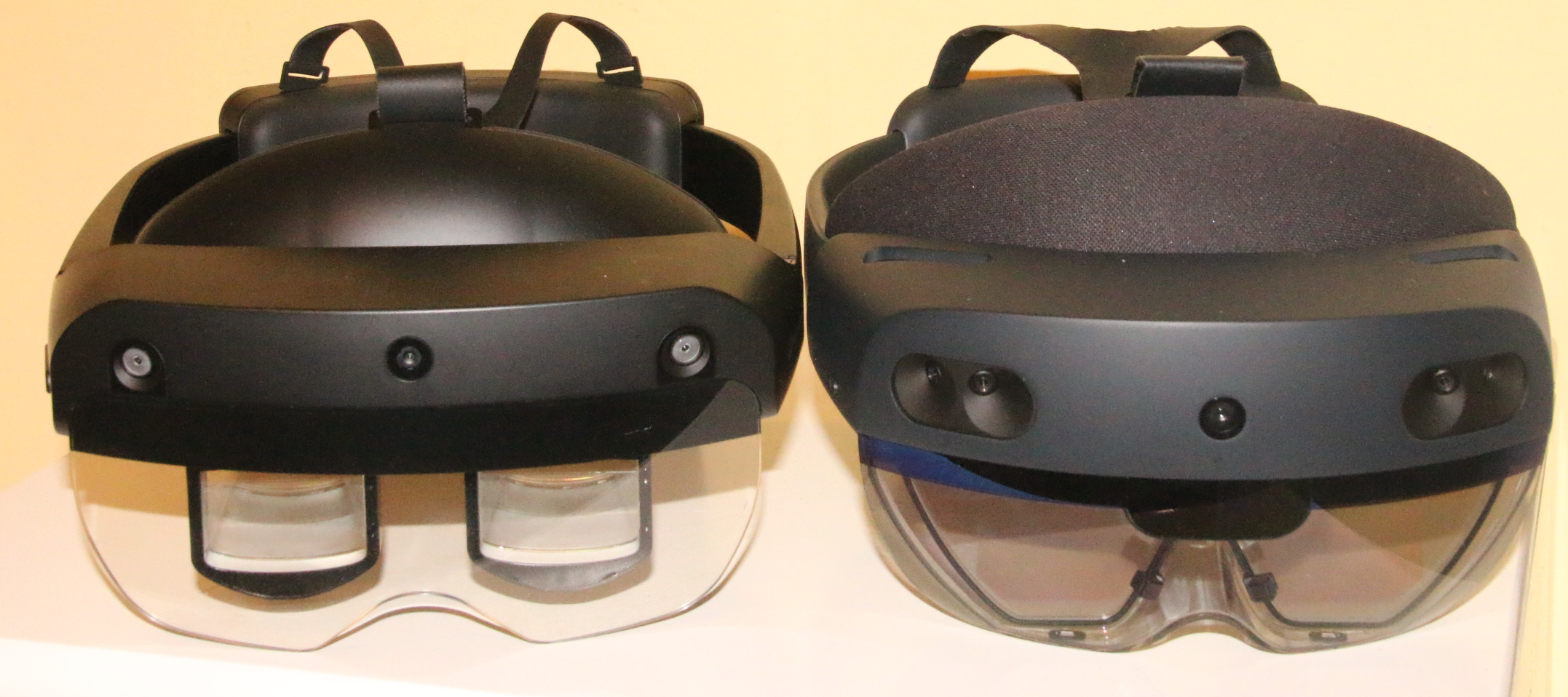
First things first: the device name suggests a relation with the company Meta, the parent company of Facebook, Instagram and WhatsApp, with Mark Zuckerberg as CEO. It has nothing to do with that. I assume the device’s name is a vestigial remnant of the Metaverse baloney hype of 2021-2023 (just as the name of Meta-the-company, which is now stuck with the name of a failed hype). It is designed and manufactured by P&C Solution from Seoul, and it’s a fully fledged Mixed Reality device that remarkably looks like a HoloLens 2, proving that the quote “Good artists copy, great artists steal” (attributed to Pablo Picasso) still holds true.
Notable physical differences
Although the physical appearance looks remarkably similar, closer inspection yields some striking differences.
Visor
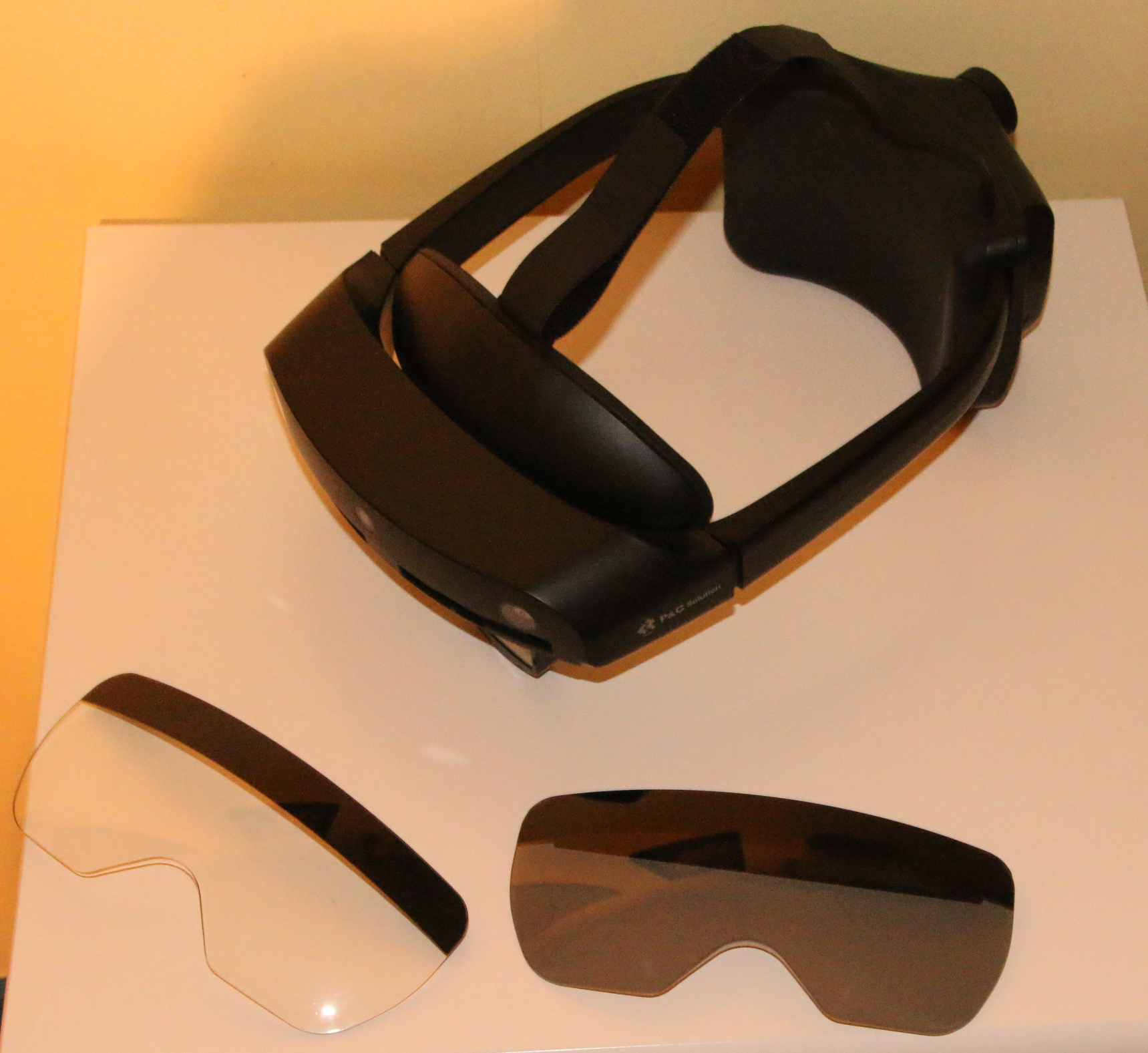
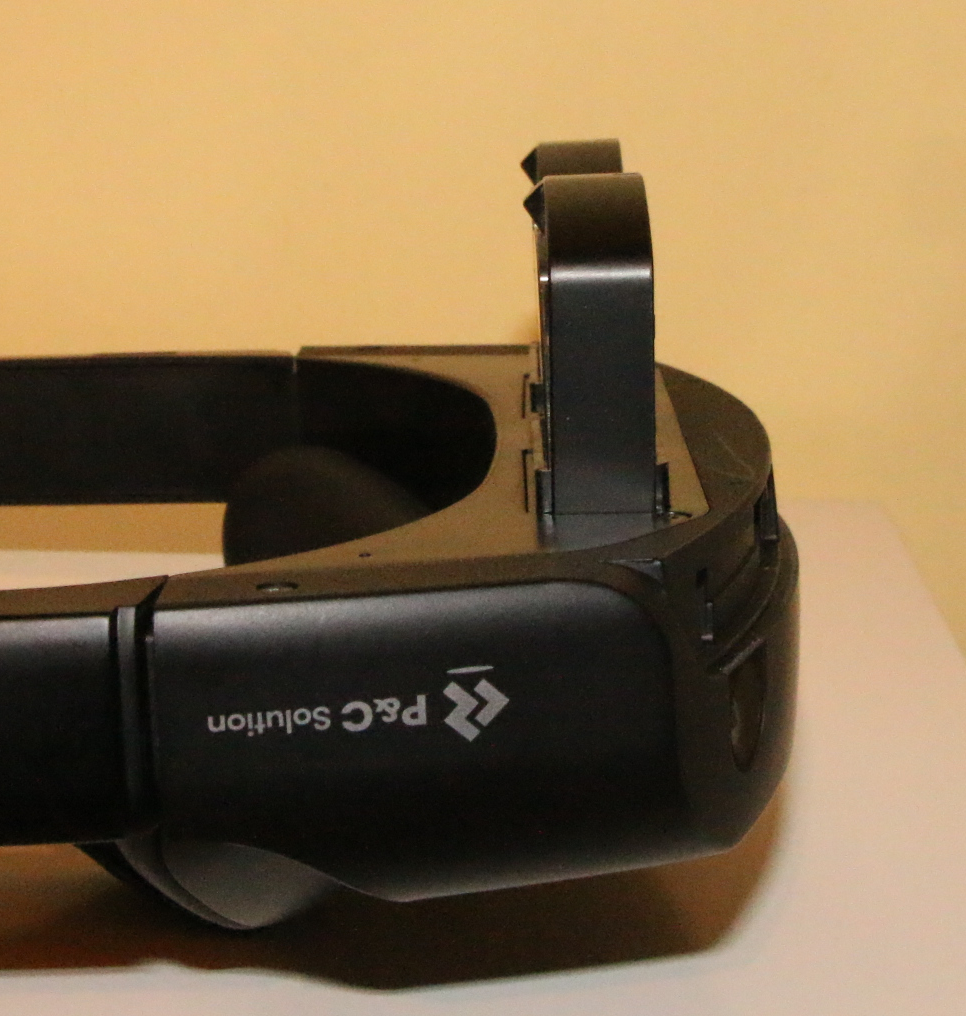
It looks like the device has a flip-up visor like the HoloLens 2, but it doesn’t. If you try to flip up the visor - which I did a couple of times, force of habit being strong - you suddenly end up holding the visor in your hand. This is by design: the visor shield is detachable, and the device comes with two visor plates: one clear plastic, one tinted, apparently to enhance outdoor experiences.
Power button and USB port
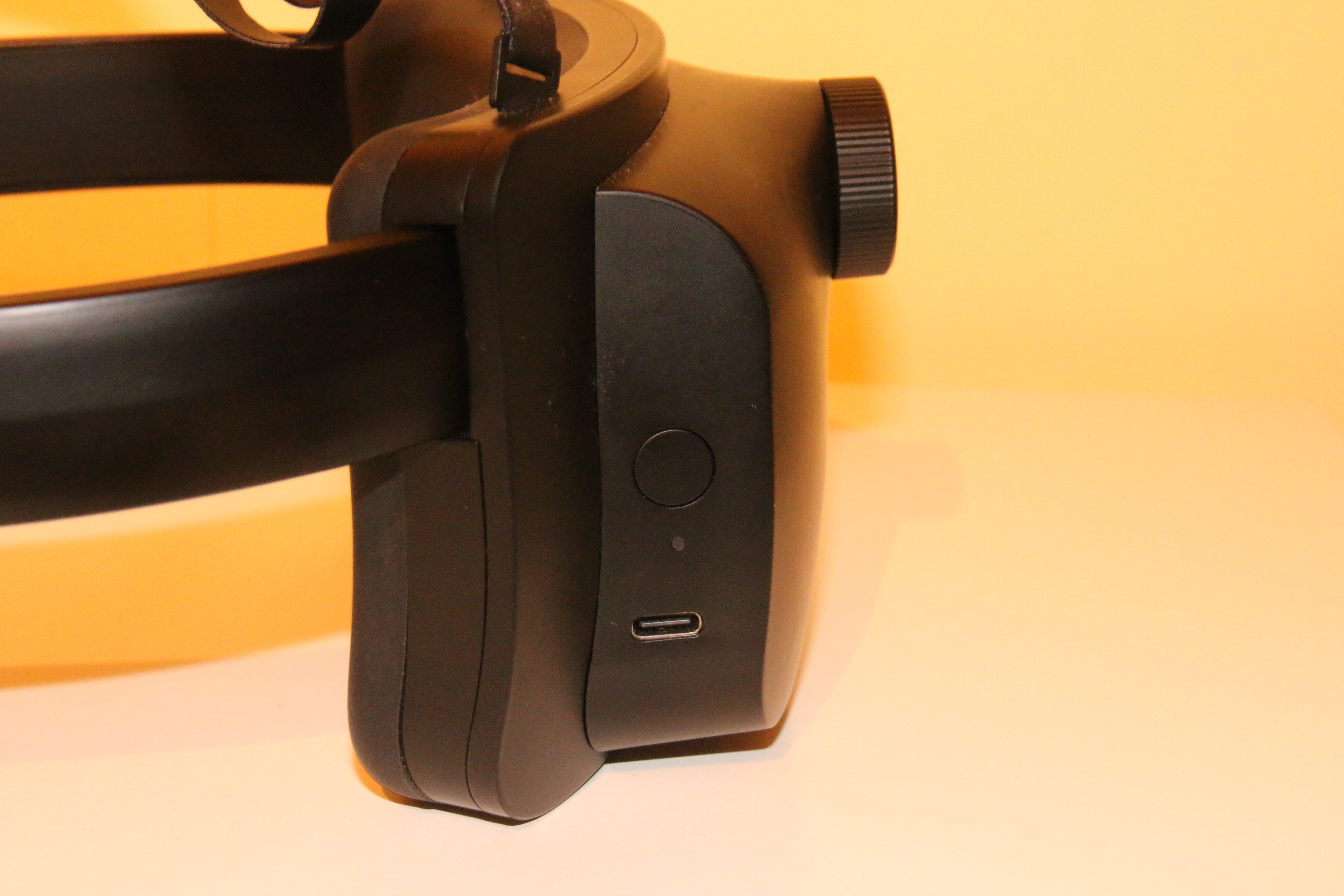
The power button and USB port are on the left side of the battery pack (as opposed to the right side on HoloLens 2), and there is only one LED that shows multiple colors and blinking patterns. I’m sure they all mean something, but I haven’t gotten to the bottom of it.
Visor buttons
HoloLens 2 has two buttons on the visor. The one on the right adjusts audio volume, the one on the left adjusts display brightness. The MetaLense 2 also has a volume button on the right, but no brightness button - you set brightness using a setting in the launcher.
Head band
The headband is thicker, and notably stiffer and more rugged. That last part is a great boon. The HoloLens 2 headband is more flexible, but also considerably more fragile. After years of use it tends to tear. Case in point: the right side of my company HoloLens 2’s headband now sports a piece of duct tape to keep it from tearing any further, the result of me being right-handed and always picking it up with my right hand. The MetaLense 2 band is thick, hard, almost 5mm plastic.
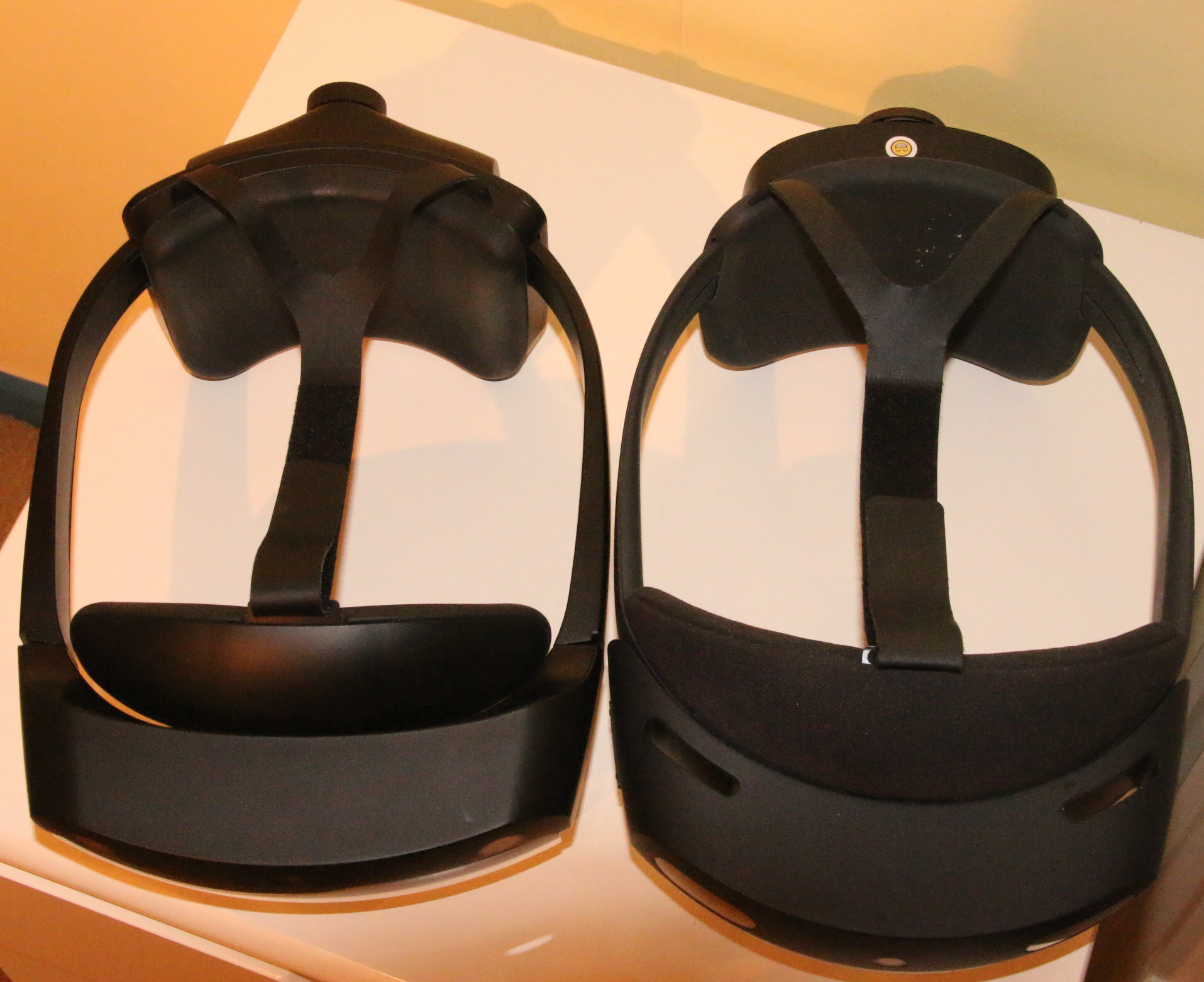
A potential minor drawback is that the maximum size of the adjustable headband is slightly smaller. I always have to adjust a HoloLens 2 to a wider setting to accommodate my apparently oversized skull when it’s handed over from someone else - for the MetaLense 2 to fit over my head, I have to turn it all the way up to the maximum setting.
Display
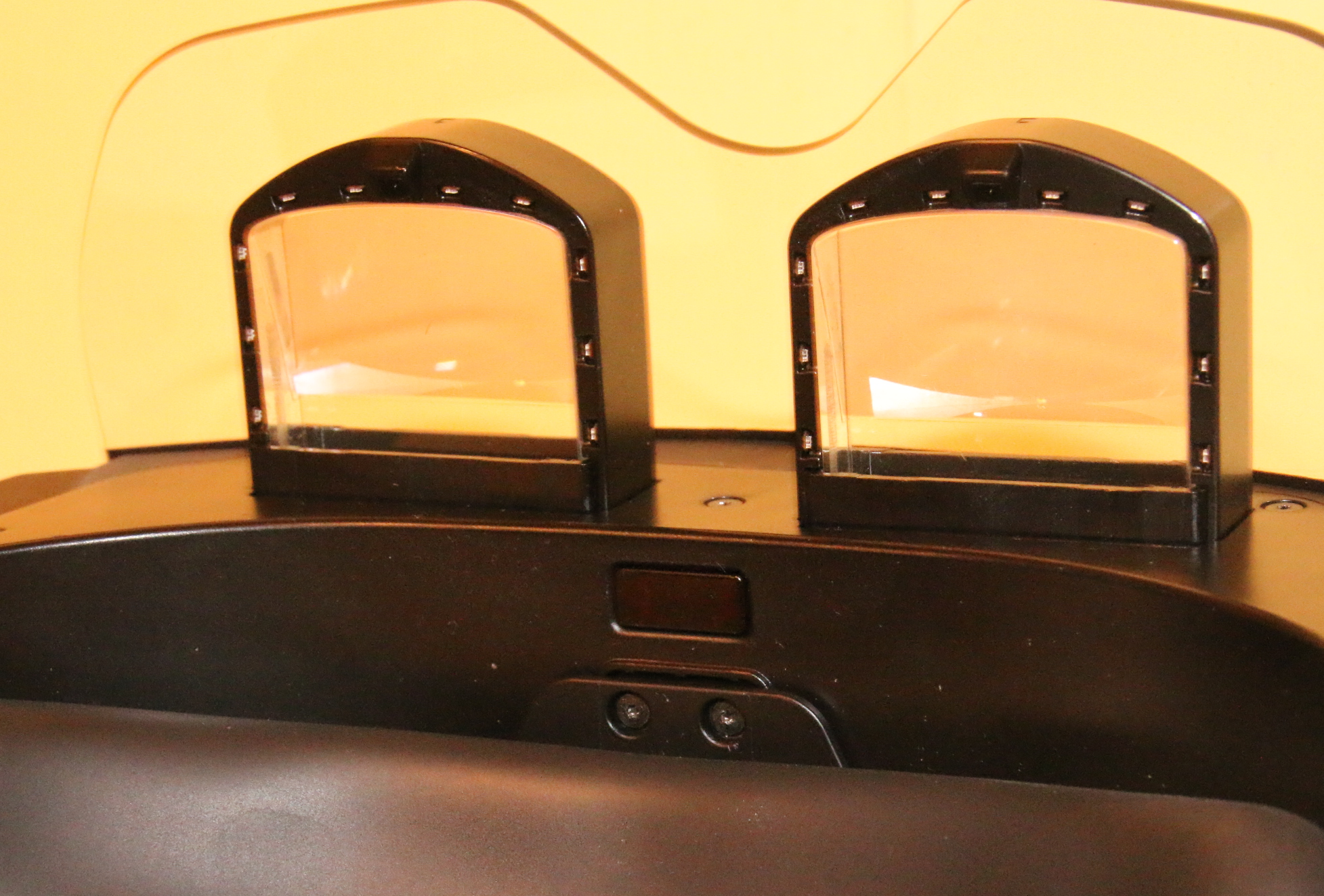
In the HoloLens 2, the visor is a kind of hollow clear plastic box with a rounded front and a flat backside (the part facing your eyes). The actual see-through part appears to be a slightly irregular trapezoid, but the waveguide display - the piece that creates the actual image - is actually a truncated rectangle, which you can see when you hold the device so that light reflects off it at a shallow angle. The MetaLense 2 sports two clearly visible transparent boxes, one for each eye, about 14mm thick. This is because the MetaLense 2 doesn’t use waveguide but the much older birdbath technology. This is basically a projector at the top of the eyepiece, using a half-transparent slanted mirror to display the image to your eyes. This has a few consequences. First, you can’t see the user’s eyes at all when you look at someone wearing a MetaLense 2, because they’re hidden by the slanted mirror just mentioned. Second, the display lacks all the artifacts and chromatic aberrations the HoloLens 2 suffers from. The image is very bright, very clear, much less translucent, and not pixelated at all. The image quality looks really stunning, especially up close. Goes to show older isn’t necessarily worse. There are some caveats, though - more on that later.
Bits & pieces
The inside front of the headband reveals another difference: a little rectangle that I assume is a presence sensor. The device very aggressively turns its display off when you take it off, and it comes back on within seconds of putting it on again. Around the eyepieces (the ‘black boxes’) are sensors that emit a dimly visible red light, but I’m not sure what their function is.
Notable differences in device usage
The MetaLense 2 is an Android-based device, so it can only run apps compiled for Android. It uses a Qualcomm Snapdragon XR2-class chip, if I’m correct, which is an ARM chip. This means you don’t run into Android libraries that aren’t compiled for x86, an issue you sometimes had when porting to the Magic Leap 2 (which uses an AMD Ryzen chip). What’s also different is the launcher. It looks very big at 2-3 meter distance, and is basically a horizontal grid of icons. You can start an app with it, but it also has controls for settings. The annoying part is that it doesn’t always appear in front of you - sometimes even at the side or behind you - and it’s hard to move.
The MetaLense 2 also doesn’t have anything like a central store, unlike HoloLens 2, Quest, Spectacles or Apple Vision Pro. You can only sideload apps onto it, using their bespoke PC apps, or (as I usually do) using ADB commands. They do have OTA updates for firmware, though.
Also, and this is very strange: there is no general ‘go home’ gesture. HoloLens 1 had bloom, HoloLens 2 has the wrist tap, Magic Leap 2 the thumb-index-finger gesture, Quest the thumb-index-middle-finger snap, Snap Spectacles the palm buttons - the MetaLense 2 has none. If your app doesn’t have an exit button, you can’t exit a running app in any way, short of using the power button.
Shortfalls of the device
Unfortunately, and this is hard to believe, there are still things the 7-year-old HoloLens 2 excels at, or does better than the MetaLense 2.
Hand tracking
First, and most notable, is hand tracking. The HoloLens 2’s hand tracking is superb, and the MetaLense 2 doesn’t quite meet that standard. A pinch works fine when viewed from the side, but if you pinch away from you, you’re basically looking at the back of your hand, and often the MetaLense doesn’t register that half-obscured pinch. On the other hand, if you do a poke movement - for instance, pushing a button with your index finger - it registers so aggressively that you often end up double-punching the button, which is highly annoying when operating a toggle button, since it immediately untoggles itself again. This also happens in the system menu, so I assume it’s a systemic issue (that hopefully can be fixed in firmware). Another weird thing: if you move your hand out of view, because you are watching something that does not need interaction, wait some time, then move your hands back into view, hand tracking often needs time to ‘wake up’ again. I find myself often do some ‘hand waving’ until I see the device has found my hands again in that situation.
Display sharpness when moving
The display, although much brighter, sharper and less suffering from ‘rainbow artifacts’ than the HoloLens 2’s, still leaves something to be desired. There’s a kind of barrel distortion at the edges of the view. That itself isn’t so bad; what I do find annoying is that the imagery gets blurry when you rotate your head somewhat fast - it instantly becomes sharp again as soon as you stop rotating, but looking from side to side is what humans naturally do when looking around.
Viewpoint drift
The third shortfall, although minor in most cases, I’d call viewpoint drift. If you place a virtual object on a recognizable spot while viewing it from the front - for instance, on a coin - then look at the virtual object from the left side, it will seem to drift a bit to the right. Looking from the right, the virtual object will drift to the left. In both cases, the object ends up seemingly behind the coin. HoloLens 2 has this too (HoloLens 1 allegedly did not), but the MetaLense 2’s drift is significantly larger. Note this only happens when you look from relative close distance to the virtual object, like 1 meter (3ft).
Spatial awareness
Although I feel the spatial awareness of both devices is more or less on par, HoloLens 2 is notably faster at regaining tracking when it gets ‘lost’. Usually (but not always) HoloLens 2 regains its tracking almost instantly, whereas the MetaLense 2 needs a few moments to find its bearings again - I notice a bit of a delay. You can also see this when you make the spatial map visible: the MetaLense 2 builds it slower, while the HoloLens 2 builds it fast and aggressively. This may be a result of Microsoft dedicating a special chip to it - the famous HPU - or simply that P&C decided spatial loss doesn’t happen often enough to warrant diverting a lot of the device’s resources to
Field of view
HoloLens 2 sports about 52° FOV, MetaLense 2 allegedly 40°, which is smaller than HoloLens 2. That said, it doesn’t feel that way - the image stays bright and clear even at the edges.
Eye tracking
HoloLens 2 has eye tracking. MetaLense 2 does not. Period. Using MRTK3, it will default to head tracking, and most scenarios will work, but not all.
Spatial mapping
The MetaLense 2 has no depth sensor. It uses cameras to build a spatial map, just like Snap Spectacles do. Other devices, like HoloLens 2 and Magic Leap 2, have active depth sensors to build up a spatial map. This is usually more accurate and faster, but is also notably bad at handling dark objects or areas (black objects don’t reflect light, so also not the near-infrared photons that HoloLens 2 uses, leading my black sofa to appear as a black hole in HoloLens spatial maps). Also, active depth sensors are releatively power hungry, which is a concern for any battery powered device
Advantages over HoloLens 2
Next to the display advantage already mentioned, which also makes it better usable outdoors, it has the following advantages:
- Better and newer processor
- 8GB of RAM (HoloLens 2: 4GB)
- 128GB storage, 110GB user-available (HoloLens 2: 64/50)
- Noticeably faster
- Lighter
- More robust headband
- And the most important one: you can actually buy it new from the manufacturer - whereas HoloLens 2’s death warrant, like Magic Leaps 2’s, has been signed and dated.
It also has another advantage, although not over HoloLens - but over a lot of other devices - you can actually wear it while wearing your own glasses. No inserts, no contacts, just your normal corrective glasses - even bifocals work. That’s something I dearly miss in a lot of devices these days.
If it looks like a duck…
The million-dollar question, of course, is: if it looks so much like a HoloLens 2, and it’s apparently possible to port HoloLens 2 applications so easily - as I recently did with HoloATC - can it replace HoloLens 2, a device that, as you probably know by now, has been out of production for almost two years and can only be purchased second-hand now? The question is, as always, it depends on your use case.
For most cases I think it can - but so can the Meta Quest 3, which is considerably cheaper. However, I also recently learned from a fellow XR community member that a lot of people struggle with VR sickness on the Meta Quest 3, even in see-through scenarios. I haven’t experienced that myself, but I have to take her experiences into account. In an industrial setting I can definitely see this device working as safety compliancy almost rules out pass-through video devices (because you are suddenly blind when they fail, and they block peripheral vision). But you have to realize: this is not a HoloLens 2, it can’t do all its tricks, but it’s a bit cheaper (I’ve seen quotes of about €2400-€2900 incl. VAT), you can actually buy it, and it apparently has a future. If you’re looking for a successor, and pass-through VR won’t do, it’s certainly worth considering contacting P&C Solution and run a few trials.
Verdict?
As you might have gathered by now: this is not a 1:1 replacement for HoloLens 2. But it is a very capable and usable device for a lot of scenarios that required a HoloLens 2, and porting is not hard. It is also very encouraging P&C Solution are very open and communicative, extremely open to feedback, they keep improving, and I wonder - given the fact that this device is from late 2025 - whether a MetaLense 3 is already in the works. Time will tell. At this point in time, anyone making a decent see-through XR device is more than welcome.
Disclaimer: I have no affiliation with P&C Solution, I was not paid or compensated in any way - nor is there any agreement about future compensation. I got a loaner device, examined it, did some development with it, gave feedback, and ported my HoloATC app for it.